What is an ATS Resume? How to Create, Format, and Optimize Resume for ATS
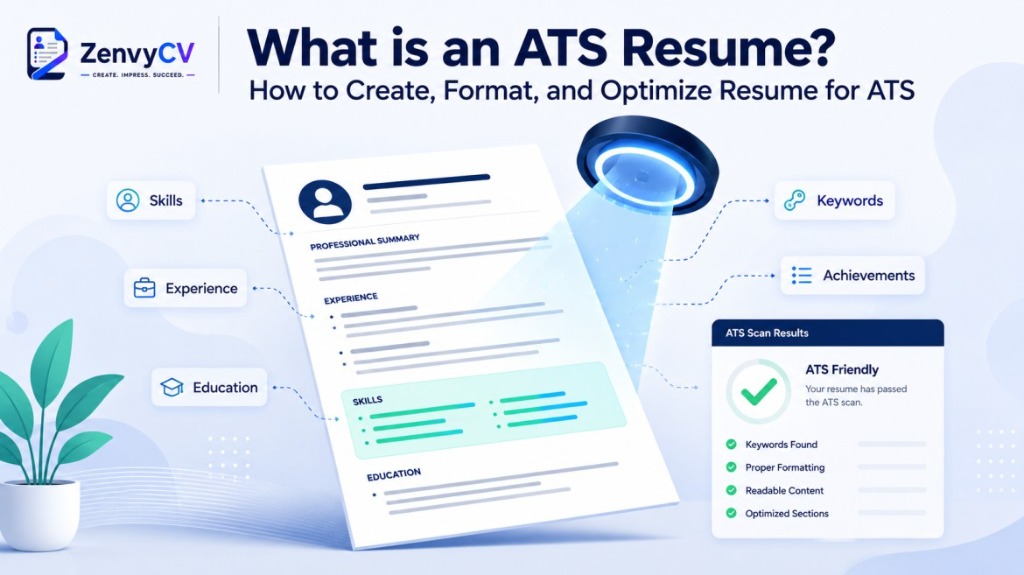
Getting hired today means passing two reviews, not one. Before a recruiter ever reads your resume, an Applicant Tracking System usually reads it first. This software collects applications, extracts your information into structured fields, and ranks you against everyone else who applied. Nearly every large company relies on one, so understanding how these systems work has become a basic requirement for any serious job search.
An ATS resume is simply a resume built to move through that software cleanly. It uses standard section headings, a single-column layout, and language pulled directly from the job description, so the parser reads your name, work history, and skills correctly instead of misfiling them. This matters more than most job seekers realize. A common claim says three out of four resumes get automatically rejected by ATS software, but that number has been traced back to an old, unverified marketing claim. The real issue isn't silent rejection. It's poor ranking. Formatting mistakes and missing keywords push qualified candidates so far down the list that a recruiter never scrolls far enough to find them.
This guide walks through everything that shapes how your resume performs in an ATS: what the software actually does, how it parses and ranks applications, which resume formats and file types work best, the mistakes that quietly sink strong candidates, and a practical checklist you can run before hitting submit. By the end, you'll know exactly how to build a resume that gets read accurately by the software and lands in front of the person who makes the hiring decision.
What is an ATS Resume?
An ATS resume is a resume built to survive contact with recruiting software before a human ever opens it. The formatting is simple, the section headings are standard, and the language mirrors the terms used in the job description. The goal isn't to trick a machine. It's to make sure the machine reads your information correctly and ranks you fairly against other candidates.
Here's the relationship that matters most: ATS software parses resume text into structured data fields. Your name, job titles, dates, skills, and education all get extracted and sorted. If the system misreads your layout, it misfiles your information, and a recruiter searching for "project management" or "five years experience" may never find you, even if you're perfectly qualified.
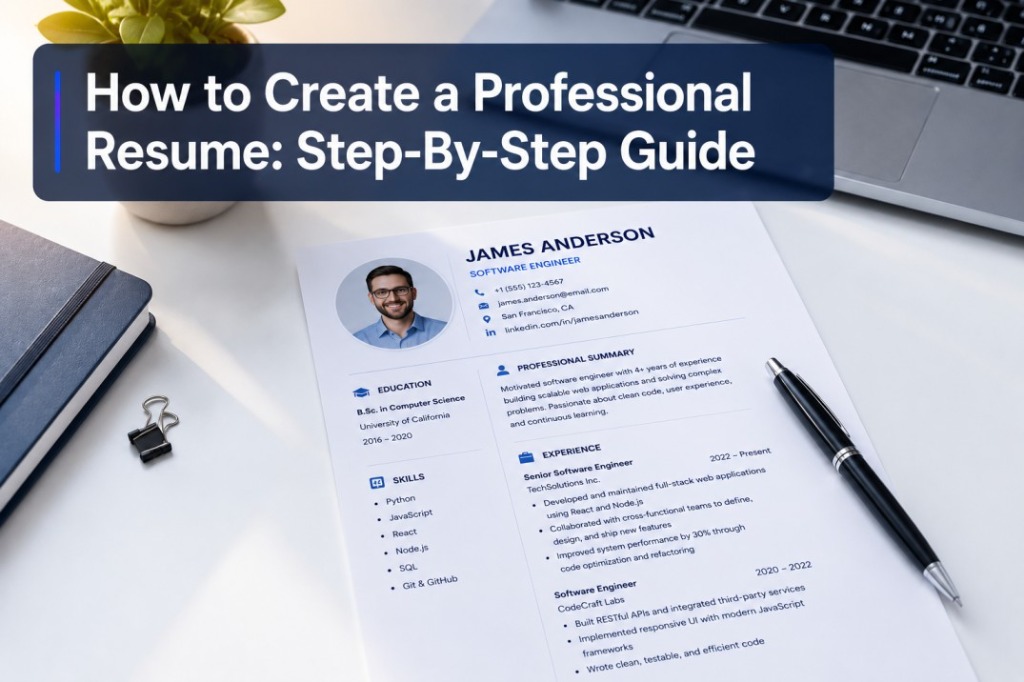
Example of ATS-Friendly Resume
A strong ATS-friendly resume follows a predictable structure that both software and humans can scan quickly:
Alex Morgan
San Francisco, CA | (555) 678-9012 | [email protected] | linkedin.com/in/alexmorgan
Professional Summary
Results-driven Software Engineer with 5 years of experience building scalable web applications. Proficient in Python, JavaScript, and cloud infrastructure. Passionate about clean code and delivering measurable business impact.
Work Experience
Senior Software Engineer, TechCorp Inc. (Jan 2022 to Present)
• Reduced application load time by 40% through performance optimization and caching strategies.
• Led a team of 4 engineers to deliver a new customer portal 2 weeks ahead of schedule.
Software Engineer, StartupXYZ (Mar 2019 to Dec 2021)
• Increased sales pipeline visibility by building a real-time reporting dashboard used by 200+ staff.
• Integrated third-party payment APIs, enabling $2M+ in additional annual revenue.
Education
B.S. in Computer Science, University of California, Berkeley (2019)
Skills: Python, JavaScript, React, Node.js, PostgreSQL, AWS, Docker, REST APIs, Agile/Scrum, CI/CD
The layout uses a single column, a standard font like Calibri or Arial, and no tables, text boxes, or graphics. Bullet points describe achievements with numbers where possible, such as "increased sales by 22% in one year" rather than vague statements like "responsible for sales growth."
Contact Information at the Top
Place your full name, phone number, email, and location in the body text — not in a header or footer — so the ATS can extract it correctly.
Professional Summary
Two to three sentences that include your job title and top skills, written to mirror language from the job posting.
Work Experience (Reverse Chronological)
Company name, job title, and employment dates clearly labeled, with bullet points describing measurable achievements.
Skills Section
Keywords pulled directly from the job posting, using the exact phrasing the employer used where accurate.
Education
Degree, institution, and graduation year using a standard heading like "Education" rather than creative alternatives.
Standard Section Headings
Use "Work Experience," "Education," and "Skills" — not "My Journey," "What I Bring," or other stylized labels.
What are the Benefits of Using an ATS-Friendly Resume?
An ATS-friendly resume gives you several concrete advantages over a heavily designed one.
Improved Parsing Accuracy
Single-column resume layouts achieve noticeably higher parsing accuracy than two-column layouts, meaning your experience and skills are far less likely to get scrambled or lost during extraction.
Contact Details Protected
A meaningful share of ATS platforms fail to read contact information placed in headers or footers. Keeping your name, phone, and email in the main body ensures recruiters can actually reach you.
Higher Ranking Against Competitors
Resumes that include keywords directly from the job description are substantially more likely to be selected for human review — especially in competitive postings attracting hundreds of applicants.
Formatting-Based Rejection Avoided
A tailored professional summary makes a resume meaningfully more likely to pass ATS screening. Clean formatting prevents parsing errors that push qualified candidates to the bottom of a results list.
What is an Applicant Tracking System (ATS)?
An Applicant Tracking System, or ATS, is software that companies use to manage job applications from posting to hire. It collects resumes, extracts the text into organized fields, and gives recruiters tools to search, filter, and rank candidates. Think of it as the operating system behind a company's hiring pipeline, not a single gatekeeper standing between you and a job offer.
ATS platforms handle far more than resume screening. The software can automate scheduling, parse resumes, deliver documentation, and in some cases run background checks. Popular platforms include Workday, Taleo, Greenhouse, iCIMS, and Lever, and hundreds of ATS vendors operate globally, ranging from large enterprise systems to tools built for small businesses.
Adoption of ATS software is now close to universal among large employers. Nearly all Fortune 500 companies use some form of Applicant Tracking System, and usage is climbing among smaller companies too. If you're applying to a company with more than 50 employees, there's a strong chance an ATS will process your resume before anyone reads it directly.
How Does an Applicant Tracking System (ATS) Work?
Modern ATS platforms follow a fairly consistent process, even though the exact algorithms differ between vendors. The major parsing engines generally follow a four-stage pipeline.
Collection
The system receives your resume file and cover letter when you submit an application, either through direct upload or by pulling it from a job board. This is the entry point for every applicant.
Parsing
The ATS extracts your text and sorts it into structured fields, such as work history, education, and skills. This is the stage where formatting problems cause the most damage — a misread section header can throw an entire block of experience into the wrong field.
Keyword and Criteria Matching
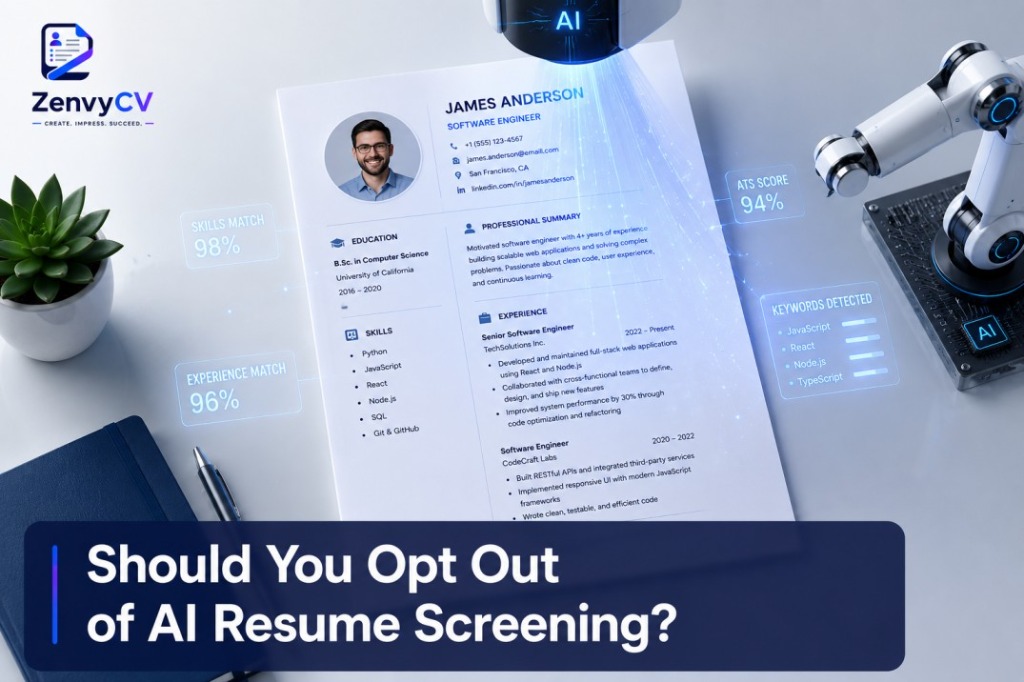
The system compares your resume against the job description and any employer-defined requirements, scoring you on how closely your skills, experience, and qualifications match what the role calls for.
Ranking
The ATS places your resume in an ordered list rather than automatically discarding it. Recent recruiter research found that the large majority of ATS setups do not configure auto-rejection rules based on resume content. What actually blocks an application before human review are knockout questions — hard requirements like work authorization or a minimum number of years of experience — set manually by employers rather than the algorithm.
That distinction matters because the popular claim that "75% of resumes are rejected by ATS before human review" has been challenged by more recent research. The real problem isn't silent rejection. It's poor ranking. Whether the cause is a formatting error or a low ranking score, the outcome for the job seeker looks the same: the resume never reaches a human. That's why ATS optimization still matters.
How To Optimize Resume for ATS?
Optimizing your resume for ATS comes down to three things: readable formatting, relevant keywords, and consistent structure.
-
🔑
Match Keywords Naturally
Read the job description and identify the specific skills, tools, and qualifications it repeats. Weave those terms into your experience bullet points and skills section using the same phrasing the employer used. The average resume is missing roughly half of the keywords found in the job description it's applied against, so this single step often produces the biggest improvement in ranking.
-
📝
Use Standard Section Headings
Stick with "Work Experience," "Education," "Skills," and "Certifications" instead of creative labels. Parsers are trained to recognize conventional headings, and unusual titles increase the risk of misclassification.
-
⛔
Avoid Stuffing Your Skills Section
Analysis of large batches of rejected resumes shows that listing a long, disconnected list of skills leads to a much higher rejection rate than integrating those same skills naturally into experience descriptions. Context matters to modern parsers — the system can often distinguish whether a skill like Python is mentioned in a data science context or a web development context.
-
🌟
Keep Formatting Simple
Skip tables, text boxes, columns, images, and icons. Resumes with tables, graphics, images, or complex multi-column layouts can lose half or more of their content when an ATS parses them, and photos or graphics in a template are associated with sharply higher rejection rates.
-
⚠
Don't Try to Game the System with Hidden Text
Pasting an entire job description in white, invisible text to inflate your keyword match doesn't work, and it can backfire badly. When recruiters export or print the parsed version of your resume, that hidden text becomes visible, turning a promising application into an immediate red flag for dishonesty.
-
📅
Use Consistent Date Formatting
Write dates the same way throughout the document, such as "Jan 2022 to Mar 2024," so the system can calculate your total experience accurately without confusion.
How To Know If Your Resume is ATS-Friendly?
A few practical checks can tell you how your resume is likely to perform.
Copy and Paste Test
Copy your resume text into a plain text editor like Notepad. If the sections stay in a logical order and nothing turns into garbled symbols, your formatting is probably parser-friendly.
Keyword Comparison
Place your resume and the job description side by side and check whether your document includes the core skills, tools, and job titles mentioned in the posting.
ATS Scanner Tools
Several free and paid tools score your resume against a specific job description and flag missing keywords or formatting issues. Treat your first scan as a baseline, not a final grade.
Visual Simplicity Check
Look for tables, columns, graphics, or headers and footers containing important information. If you find any, move that content into the main body of the resume.
Section Heading Check
Confirm you're using conventional headings rather than stylized alternatives that a parser might not recognize.
How To Create an ATS-Friendly Resume?
Building an ATS-friendly resume from scratch follows a clear sequence.
Start with a Clean Template
Choose a single-column layout with clear section breaks. Avoid designer templates built around visual graphics — single-column layouts remain more reliable for ATS parsing even though flashier designs are visually popular.
Write Your Contact Information First
Place your full name, phone number, email, and location in the body of the document — not in a header or footer.
Add a Professional Summary
Write two to three sentences that state your job title, years of experience, and one or two standout skills relevant to the role.
List Work Experience in Reverse Chronological Order
Include company name, job title, employment dates, and three to five bullet points per role that describe measurable achievements.
Build a Dedicated Skills Section
List hard skills and tools that appear in the job description, using the exact terms the employer used where accurate.
Include Education and Certifications
State your degree, school, and graduation year, plus any relevant licenses or certifications.
Tailor the Resume for Each Application
Adjust your summary and skills section to reflect the specific job description you're applying to, since generic resumes consistently underperform tailored ones.
Save and Test the File
Export your resume, run it through an ATS checker or the copy-paste test, and revise any sections that don't come through cleanly.
What are the Different Types of ATS Resume Formats?
Job seekers generally choose between three resume formats, and each interacts with ATS software differently.
Chronological Format
Lists your work history in reverse order, starting with your most recent job. It's the most widely recognized format by both recruiters and parsing software, since the structure maps cleanly onto the fields an ATS expects.
Functional Format
Organizes content around skills and competencies rather than a work history timeline. It can confuse ATS parsers because it doesn't follow the standard date-and-title structure the software is trained to extract, and it often raises questions about employment gaps.
Combination Format
Blends a skills summary at the top with a chronological work history below it. It can work well for ATS purposes if the chronological section still follows standard formatting, but it adds complexity that increases the risk of parsing errors.
What is the Best Resume Format for ATS?
The chronological format is the safest choice for ATS compatibility. It matches the data fields most parsing engines are built to extract: job title, company, dates, and a bulleted list of responsibilities and achievements under each role. Recruiters are also the most familiar with this format, which means your resume reads well for both the software and the human reviewing it afterward.
If you have employment gaps or you're changing careers, a combination format can still work, as long as you keep the chronological section intact and avoid replacing it entirely with a skills-only layout.
What is the Best File Format for ATS?
File format has a measurable impact on parsing accuracy. Plain DOCX files tend to have a much lower failure rate when read by ATS software compared to PDF files.
DOCX (Recommended Default)
The statistically safer default if a job posting doesn't specify a file type. DOCX files have significantly lower ATS parsing failure rates and are reliably read by virtually all modern systems.
PDF (Conditionally Acceptable)
Modern ATS platforms generally parse text-based PDFs reliably. Always export directly from a word processor rather than scanning a printed copy so the text stays selectable and machine-readable.
Scanned or Image PDFs (Avoid)
Consistently fails ATS parsing. A PDF created through print-to-PDF from a scanned image, or a password-protected file, will often result in a completely blank parsed record.
What are the Common Mistakes to Avoid in an ATS Resume?
Even strong candidates lose ground to these avoidable errors. Check every one before you hit submit.
-
⚠️
Using Tables, Columns, or Text Boxes
These layout elements often break apart during parsing and scatter your information into the wrong fields.
-
⚠️
Placing Contact Details in a Header or Footer
A meaningful share of ATS systems skip this content entirely, which means recruiters may have no way to reach you.
-
⚠️
Relying on Images, Icons, or Graphics for Key Information
Parsers read text, not visuals, so anything conveyed only through an image is invisible to the system.
-
⚠️
Using Non-Standard Section Headings
Creative titles like "My Story" or "Career Highlights" instead of "Work Experience" can confuse the parser's field-matching logic.
-
⚠️
Listing Skills Without Context
A long, disconnected list of keywords scores worse than the same skills woven naturally into your work experience descriptions.
-
⚠️
Ignoring the Job Description
Sending the same generic resume to every posting means missing the specific keywords each employer's ATS is scanning for.
-
⚠️
Inconsistent Date Formatting
Mixed formats like "2022-2024" alongside "March 2022 to Jan 2024" can throw off the system's experience calculations.
-
⚠️
Hidden Text or Keyword Stuffing
Pasting invisible keywords in white text doesn't improve your score, and it can flag your application as deceptive once a recruiter views the parsed version.
-
⚠️
Overly Designed Templates
Fancy fonts, icons, and colored sidebars might look appealing to a person, but they consistently increase parsing failure rates.
-
⚠️
Typos and Grammatical Errors
Most hiring managers say they would automatically dismiss a candidate whose resume contains typos or grammatical errors, so proofreading matters just as much after your resume clears the ATS stage.
ATS Resume Checklist
Use this checklist before you submit any application:
Contact Information Placement
Contact information is in the body of the resume, not in a header or footer.
Single-Column Layout
Resume uses a single-column layout with no tables, text boxes, or graphics.
Standard Section Headings
Standard section headings are used throughout: Work Experience, Education, Skills, Certifications.
Reverse Chronological Order
Work experience is listed in reverse chronological order with consistent date formatting.
Keywords from the Job Description
Keywords from the job description appear naturally in the summary, experience, and skills sections.
Skills in Context
Skills are integrated into experience bullet points, not just listed in isolation.
Correct File Format
File is saved as DOCX, or as a text-based PDF if the employer specifically requests PDF.
ATS Tested
Resume has been tested with the copy-paste method or an ATS scanning tool.
No Hidden Text
No hidden text, invisible keywords, or white-on-white formatting tricks present.
Proofread
Resume has been proofread for typos and grammatical errors.
Tailored to the Role
Resume is tailored to the specific job posting rather than sent as a generic version.
Getting past an ATS isn't about outsmarting a robot. It's about presenting your qualifications in a format that both software and people can read accurately, so your actual experience gets the fair review it deserves.