Resume Formats: How to Choose, Structure, and Optimize Your Resume in 2026
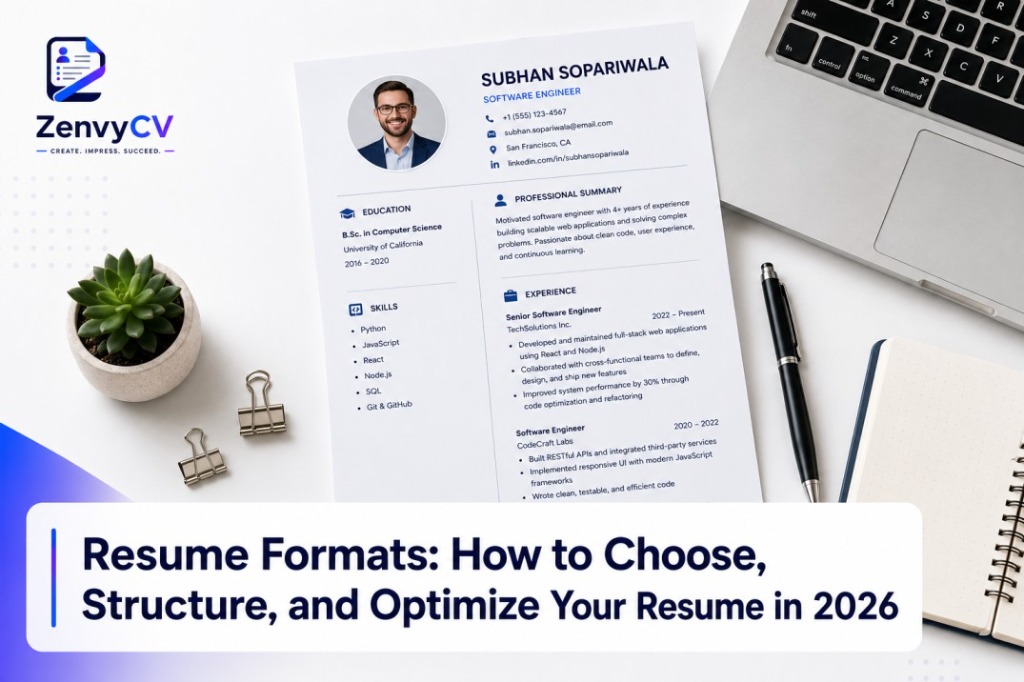
Your resume has less than 10 seconds to make an impression. In that window, a recruiter decides whether you move forward or get passed over. The difference between those two outcomes often comes down to one thing: your resume format.
A resume format is the structural layout that organizes your experience, skills, and education on the page. It controls what a recruiter sees first, how easily they can scan your qualifications, and whether an Applicant Tracking System (ATS) can read your document at all. Getting it wrong means your resume never reaches a human, regardless of how qualified you are.
This guide covers everything you need to know about resume formatting from the ground up. You will learn the three core resume formats, chronological, functional, and combination, and exactly when to use each one. You will understand how to choose the right format based on your career stage, whether you are a fresher, an experienced professional, a career changer, a freelancer, an executive, or a technical candidate.
Beyond format selection, this guide walks you through every essential resume section, ideal formatting guidelines for length, fonts, margins, spacing, and bullet points, and the ATS optimization practices that determine whether your resume gets seen in 2026.
You will also find a complete resume format checklist, a breakdown of the most common formatting mistakes to avoid, and answers to the most frequently asked resume format questions.
By the end of this guide, you will know exactly how to structure, format, and optimize your resume to get more interviews.
What is a Resume Format?
A resume format is the structural layout that organizes your work experience, skills, education, and achievements on a single document. It determines what information appears first, how sections are arranged, and how a hiring manager reads your profile.
There are three core resume formats: chronological, functional, and combination (also called hybrid). Each format serves a different career situation and communicates your strengths in a different way.
Your chosen format shapes the first impression a recruiter forms within 6 to 7 seconds of scanning your resume.
Why Resume Format Matters?
A resume format is one of the most critical components of your job application. It determines how easily a hiring manager can read and understand your qualifications, and how effectively your resume passes through Applicant Tracking Systems (ATS).
It Controls the Recruiter's Eye Flow
Recruiters do not read resumes, they scan them. A well-structured format guides their eyes to your strongest qualifications first. A poorly organized one buries your value and costs you the interview.
It Determines ATS Compatibility
Most companies use Applicant Tracking Systems (ATS) to filter resumes before a human ever sees them. The wrong format, such as tables, text boxes, or graphics-heavy layouts, can cause an ATS to misread or reject your resume entirely. A clean, ATS-friendly format ensures your resume actually gets read.
It Reflects Your Career Stage
A fresh graduate, a mid-career professional, and a career changer all need different formats. Using the wrong one signals a mismatch between your experience and the role. The right format presents your background in the most favorable light for your specific career stage.
It Sets the Professional Tone
Your resume format communicates attention to detail, organization, and professionalism before the recruiter reads a single word. Inconsistent fonts, uneven spacing, and cluttered sections create a negative impression immediately.
It Directly Impacts Interview Chances
A strong format does not just make your resume look good. It strategically positions your most relevant experience and skills to match the job description, which increases your chances of getting shortlisted.
What are the Different Types of Resume Format?
Chronological Resume Format
A chronological resume format lists your work experience in reverse chronological order, starting with your most recent job and working backward. It is the most traditional and widely used resume format in the world.
This format keeps the focus on your career timeline. Each job entry includes your job title, company name, location, dates of employment, and bullet points describing your responsibilities and achievements.
Example of a Chronological Resume
- Led a team of 8 marketers to execute campaigns that increased revenue by 35%
- Managed a $500K annual marketing budget across digital and offline channels
- Developed email marketing strategies that improved open rates by 22%
- Coordinated with the sales team to align campaign goals with quarterly targets
Best For
- Professionals with a consistent and steady work history
- Candidates applying for roles in traditional industries like finance, law, healthcare, and education
- Job seekers with 2 or more years of relevant experience
- Professionals who have shown clear career progression and promotions
Advantages
- Recruiter Familiarity: Hiring managers prefer this format because it is easy to scan and follow.
- ATS Friendly: Its clean linear structure is highly compatible with most Applicant Tracking Systems.
- Shows Career Growth: Promotions and increasing responsibilities are immediately visible.
- Builds Credibility Fast: A strong work history presented in reverse order immediately establishes professional credibility.
Disadvantages
- Exposes Employment Gaps: Any break in employment becomes immediately visible to recruiters.
- Weak for Career Changers: It highlights industry-specific experience, which works against candidates switching fields.
- Not Ideal for New Graduates: Limited work experience looks sparse and unimpressive in this format.
Functional Resume Format
A functional resume format organizes your resume around skills and abilities rather than your job history. Instead of listing roles in order, it groups your experience under skill-based categories such as Leadership, Communication, or Technical Skills.
The work history section in a functional resume is minimal. It typically appears near the bottom of the page with only basic details like job titles and employer names, without dates or descriptions.
Example of a Functional Resume
- Coordinated cross-functional teams of up to 15 members to deliver projects on time and within budget
- Implemented agile workflows that reduced project delivery time by 30%
- Managed relationships with 50+ enterprise clients across North America
- Resolved escalated client issues with a 95% satisfaction resolution rate
- Redesigned onboarding procedures that cut new client setup time by 40%
- Trained 20 staff members on updated internal systems and workflows
Best For
- Job seekers with significant employment gaps in their history
- Career changers moving into a completely new industry or role type
- Freelancers or contractors whose work history does not follow a linear path
- Individuals re-entering the workforce after a long break
Advantages
- Hides Employment Gaps: Skills take center stage, which draws attention away from gaps or short tenures.
- Highlights Transferable Skills: Ideal for career changers because it focuses on what you can do, not where you worked.
- Flexible Structure: Works well for non-traditional career paths and diverse freelance experience.
Disadvantages
- Low Recruiter Trust: Many hiring managers are skeptical of this format because it often signals something is being hidden.
- Poor ATS Performance: Most ATS systems are built to scan work history and dates, so functional resumes often score low.
- Lacks Context: Without job-specific details, recruiters cannot verify where or how you developed your skills.
Combination Resume Format
A combination resume format, also called a hybrid resume, merges the structure of both chronological and functional formats. It opens with a strong skills or summary section and then follows with a detailed reverse-chronological work history.
This format gives you the best of both worlds. You lead with your most relevant abilities and then back them up with a solid employment timeline that proves where and how you applied those skills.
Example of a Combination Resume
- Architected and deployed a microservices platform that reduced system downtime by 60%
- Led a team of 6 developers in building a SaaS product that onboarded 10,000 users in 3 months
- Built and maintained 15 client-facing web applications using React and Node.js
- Improved application load speed by 45% through performance optimization techniques
Best For
- Mid-career professionals with strong and diverse skill sets
- Career changers who also have relevant work experience to show
- Senior-level candidates applying for competitive, high-value roles
- Professionals in technical fields like software, data, marketing, and finance
Advantages
- Maximizes First Impressions: The skills section at the top immediately communicates your value before the recruiter reaches your work history.
- ATS Compatible: The reverse-chronological work history satisfies ATS parsing requirements.
- Versatile and Powerful: It works across industries and career levels better than either standalone format.
- Supports Career Transitions: You can emphasize transferable skills while still providing a credible work history.
Disadvantages
- Longer Document: Combining two sections can push the resume beyond one page, which is a drawback for early-career applicants.
- Requires Strong Content: This format only works well when you genuinely have both strong skills and a solid work history to present.
- More Complex to Write: Structuring both sections effectively takes more time and planning compared to the other two formats.
How To Choose The Right Resume Format
Choosing the right resume format is not about personal preference. It is about matching your career situation to the structure that presents your background most effectively. The wrong format can hide your strengths. The right one puts them front and center.
Here are the six most common career situations and the format that works best for each one.
For Freshers
Freshers have limited work experience, so a chronological format with an expanded education section works best. Place your education, internships, academic projects, certifications, and extracurricular achievements at the top. This gives recruiters enough substance to evaluate your potential even without full-time experience.
Recommended Format: Chronological (education-forward)
Key sections to prioritize:
- Education and academic achievements
- Internships and training programs
- College projects and capstone work
- Volunteer work and leadership roles
- Certifications and online courses
For Experienced Professionals
Experienced professionals with a steady, consistent career history benefit most from the chronological format. Your career progression, promotions, and tenure speak for themselves when presented in reverse order. Recruiters and ATS systems both respond well to this structure.
Recommended Format: Chronological
Key sections to prioritize:
- Work experience with measurable achievements
- Career progression and promotions
- Industry-specific skills
- Certifications and professional development
- Education (placed toward the bottom)
For Career Changers
Career changers need to lead with transferable skills rather than a job history that points in a different direction. The combination format works best here. It lets you highlight relevant skills upfront and still provides a work history that shows your professional credibility and reliability.
Recommended Format: Combination (Hybrid)
Key sections to prioritize:
- Professional summary that explains the career shift
- Core competencies and transferable skills
- Relevant projects, freelance work, or side experience
- Work history with reframed responsibilities
- New certifications or courses related to the target role
For Freelancers
Freelancers often have non-linear work histories with multiple clients, short-term contracts, and overlapping projects. A combination format works best because it organizes work under skill categories while still presenting a work history that shows active, ongoing employment.
Recommended Format: Combination (Hybrid)
Key sections to prioritize:
- Skills and areas of expertise
- Select client projects with measurable outcomes
- Work history listed as freelance or self-employed
- Portfolio link or case study references
- Certifications and tools proficiency
For Executives
Executives need a format that communicates leadership impact, strategic thinking, and business results quickly. The chronological format works best at this level because a strong, progressive work history is your most powerful asset. Each role should emphasize scope of responsibility, team size, and business outcomes.
Recommended Format: Chronological
Key sections to prioritize:
- Executive summary or leadership profile
- Career history with board-level or C-suite responsibilities
- Quantified business impact (revenue, growth, cost savings)
- Board memberships, speaking engagements, and publications
- Education and executive certifications (MBA, PMP, etc.)
For Technical Roles
Technical roles require a format that surfaces your technical stack, tools, and project experience immediately. A combination format works best because recruiters and hiring managers in technical fields scan for specific technologies before reading your job history. Leading with a skills or competencies section ensures your technical qualifications are visible right away.
Recommended Format: Combination (Hybrid)
Key sections to prioritize:
- Technical skills and tools (languages, frameworks, platforms)
- Work experience with project-specific achievements
- Open source contributions or GitHub portfolio
- Certifications (AWS, Google Cloud, Microsoft, Cisco, etc.)
- Education in computer science, engineering, or related field
| Career Situation | Recommended Format | Lead Section | ATS Friendly | Best Strength Highlighted |
|---|---|---|---|---|
| Fresher / New Graduate | Chronological (Education-Forward) | Education | Yes | Academic potential and internships |
| Experienced Professional | Chronological | Work Experience | Yes | Career progression and tenure |
| Career Changer | Combination (Hybrid) | Skills Summary | Yes | Transferable skills |
| Freelancer / Contractor | Combination (Hybrid) | Skills and Projects | Moderate | Diverse expertise and client work |
| Executive / Senior Leader | Chronological | Executive Summary | Yes | Leadership impact and business results |
| Technical Role | Combination (Hybrid) | Technical Skills | Yes | Tools, stack, and project outcomes |
The table above makes one thing clear. There is no single universal format. Your career stage, employment history, and target role together determine the right choice. When in doubt, the combination format offers the most flexibility across the widest range of situations.
Essential Sections Every Resume Should Include
Regardless of the format you choose, every resume must contain certain core sections. These sections give recruiters the information they need to evaluate your qualifications quickly and accurately. Missing even one of them can cost you an interview.
Here is a breakdown of every essential section, what it should contain, and why it matters.
1. Contact Information
Your contact information sits at the very top of your resume. It is the first thing a recruiter sees and the only way they can reach you. Incomplete or incorrect contact details mean a missed opportunity even if the rest of your resume is perfect.
What to include:
- Full name (larger font, prominently placed)
- Professional email address
- Phone number with country or area code
- City and state or country (full home address is no longer required)
- LinkedIn profile URL
- Portfolio, GitHub, or personal website link (where relevant)
What to avoid:
- Unprofessional email addresses
- Outdated phone numbers
- Full street address (unnecessary and a privacy risk)
- Photo or date of birth (unless required in your country or industry)
2. Professional Summary or Objective Statement
This section sits directly below your contact information and serves as your 30-second pitch. It tells the recruiter who you are, what you bring to the table, and what kind of role you are targeting, all in 3 to 5 sentences.
A professional summary works best for experienced candidates. It highlights your years of experience, core skills, and key achievements.
A career objective works best for freshers or career changers. It focuses on your goals, relevant skills, and what value you intend to bring to the employer.
What to include:
- Your professional identity and years of experience
- Two or three strongest skills or areas of expertise
- One standout achievement or value proposition
- The type of role or industry you are targeting
3. Work Experience
The work experience section is the backbone of most resumes. It shows recruiters what you have done, where you have done it, and how well you performed. This section carries the most weight in the hiring decision for experienced professionals.
What to include for each role:
- Job title
- Company name and location
- Dates of employment (month and year)
- Three to six bullet points describing responsibilities and achievements
- Quantified results wherever possible (numbers, percentages, revenue figures)
Best practices:
- Start every bullet point with a strong action verb (Led, Built, Increased, Managed, Delivered)
- Focus on achievements over duties
- Tailor bullet points to match the job description of the role you are applying for
- List roles in reverse chronological order
4. Education
The education section validates your academic background and qualifications. For freshers, it is one of the most important sections on the resume. For experienced professionals, it moves toward the bottom and takes up less space.
What to include:
- Degree title and field of study
- Institution name and location
- Graduation year (or expected graduation year)
- GPA or academic honors (only if strong and relevant)
- Relevant coursework, thesis, or academic projects (for freshers)
What to skip:
- High school education (once you hold a college degree)
- GPA below 3.0 (unless specifically requested by the employer)
5. Skills Section
The skills section gives recruiters and ATS systems a fast snapshot of your capabilities. It should be concise, relevant, and tailored to the role you are applying for. Listing irrelevant or generic skills wastes valuable resume space.
Two types of skills to include:
Hard Skills (technical and measurable):
- Software and tools (Excel, Salesforce, AutoCAD, Python)
- Industry-specific knowledge (financial modeling, SEO, data analysis)
- Languages and certifications
Soft Skills (interpersonal and behavioral):
- Leadership, communication, problem-solving, time management
- Use these sparingly and only when backed up by examples in your work experience section
Best practices:
- Match your skills directly to keywords in the job description
- Avoid overloading the section with every skill you have ever used
- Group skills by category for easier scanning
6. Certifications and Licenses
Certifications add credibility and signal that you invest in continuous learning. For technical, healthcare, finance, and legal roles, certifications are often non-negotiable requirements. For other industries, they serve as strong differentiators.
What to include:
- Certification name
- Issuing organization
- Date of completion or expiry date (where applicable)
Examples of high-value certifications:
- AWS Certified Solutions Architect
- Google Analytics Certification
- PMP (Project Management Professional)
- CPA (Certified Public Accountant)
- HubSpot Content Marketing Certification
7. Projects (Optional but Highly Recommended)
A projects section is especially valuable for freshers, developers, designers, researchers, and career changers. It provides concrete evidence of your skills when your work experience section is thin or not directly relevant to the target role.
What to include:
- Project title and brief description
- Technologies, tools, or methodologies used
- Your specific role and contribution
- Measurable outcome or result
- Link to live project, GitHub repo, or case study (where applicable)
8. Awards and Achievements
This section highlights recognition you have received for your professional or academic performance. It adds credibility and sets you apart from candidates with similar experience levels.
What to include:
- Award name and issuing organization
- Year received
- Brief context explaining why you received it (one line)
9. Volunteer Work and Extracurricular Activities
Volunteer experience demonstrates initiative, social awareness, and transferable skills. For freshers and career changers, it can carry the same weight as formal work experience. For experienced professionals, it adds depth to their personal and professional profile.
What to include:
- Organization name and your role
- Duration of involvement
- Key responsibilities or achievements
- Skills demonstrated (leadership, fundraising, community outreach)
10. Languages
If you speak more than one language, list them. Multilingual ability is a genuine competitive advantage in global and client-facing roles. Always indicate your proficiency level honestly.
Proficiency levels to use:
- Native or Bilingual
- Fluent
- Professional Working Proficiency
- Conversational
- Basic
Every section you add should serve a purpose. If a section does not strengthen your case for the role you are applying for, leave it out. A focused, well-structured resume always outperforms a long, padded one.
Ideal Resume Formatting Guidelines
Good content alone does not guarantee a strong resume. The way your resume looks, reads, and flows on the page is just as important as what it says. Proper formatting ensures your resume is easy to scan, ATS-compatible, and professional in appearance.
Here is every formatting element you need to get right.
Resume Length
Resume length is one of the most debated topics in job searching. The right length depends entirely on your experience level and the role you are applying for. There is no single rule that applies to everyone, but there are clear guidelines for each career stage.
One Page
A one-page resume is the standard for freshers, recent graduates, and early-career professionals with under 3 years of experience. It forces you to be selective and include only the most relevant information, which is exactly what recruiters want at this stage.
Stick to one page if:
- You have less than 3 years of work experience
- You are applying for entry-level or junior roles
- You are a student or recent graduate
- Your industry favors concise resumes (marketing, media, startups)
Tips to stay on one page:
- Remove high school details once you hold a college degree
- Cut duties and keep only achievements in your work experience
- Reduce white space slightly without making the page feel crowded
- Combine short-tenure roles into a single entry where appropriate
Two Pages
A two-page resume is appropriate for mid-career and senior professionals with 5 or more years of relevant experience. If you have held multiple significant roles, led large teams, or managed complex projects, one page is not enough to represent your background accurately.
Use two pages if:
- You have 5 or more years of work experience
- You are applying for managerial or senior-level positions
- You hold multiple relevant certifications or advanced degrees
- Your industry values detailed project or publication history
Important two-page rules:
- Page one must be strong enough to stand alone
- Never end page one mid-sentence or mid-bullet point
- Do not add a second page just to fill space
- Repeat your name and contact details in the header of page two
Executive Resumes
Executive resumes for C-suite, director, and VP-level candidates can run two to three pages. At this level, the depth of your leadership history, board memberships, strategic initiatives, and business impact justifies the additional length. Brevity matters less than completeness when the stakes are this high.
Executive resume length guidelines:
- Two pages for director and VP-level roles
- Up to three pages for C-suite, partner, and board-level positions
- Include an executive summary, career highlights, and a full leadership history
- Publications, speaking engagements, and board roles can add justified length
Font Selection
Your font choice affects both the visual appeal and the ATS readability of your resume. Decorative or novelty fonts look unprofessional and often fail ATS parsing. Clean, simple fonts communicate professionalism and ensure your resume renders correctly across all devices and systems.
Recommended Fonts
These fonts are widely accepted as the best choices for resume writing across industries:
| Font | Style | Best For |
|---|---|---|
| Calibri | Modern, clean, sans-serif | General use, corporate roles |
| Arial | Clean, minimal, sans-serif | Tech, startups, modern industries |
| Inter | Modern, highly legible, sans-serif | Tech, SaaS, product, and design roles |
| Roboto | Clean, geometric, sans-serif | Engineering, software, and digital roles |
| Garamond | Classic, elegant, serif | Finance, law, academia |
| Georgia | Readable, traditional, serif | Publishing, education, consulting |
| Merriweather | Classic, screen-optimized, serif | Editorial, content, and academic roles |
| Lora | Elegant, literary, serif | Creative writing, design, and humanities roles |
| Helvetica | Sleek, professional, sans-serif | Design-adjacent and creative roles |
| Times New Roman | Formal, traditional, serif | Legal, government, academic CVs |
| Cambria | Polished, readable, serif | Business, finance, and executive roles |
Inter and Roboto are particularly strong choices for digital-first resumes because they were designed specifically for screen readability. Merriweather and Lora are excellent picks when you want a classic, editorial feel without sacrificing on-screen clarity.
Fonts to avoid:
- Comic Sans (informal and unprofessional)
- Papyrus (decorative and distracting)
- Courier New (outdated and hard to scan)
- Impact (too bold and visually aggressive)
- Any handwriting or script-style font
Font Sizes
Using the right font size ensures your resume is readable without wasting space or looking cluttered.
| Element | Recommended Font Size |
|---|---|
| Your Name | 20 to 24 pt |
| Section Headings | 12 to 14 pt |
| Body Text and Bullet Points | 10 to 12 pt |
| Contact Information | 10 to 11 pt |
| Minimum Readable Size | 10 pt |
Never go below 10pt for body text. Anything smaller becomes difficult to read and signals that you are trying to squeeze in too much content, which is a sign to trim instead.
Margins and Spacing
Margins and spacing control how open and readable your resume feels on the page. Too much white space wastes room. Too little makes the page feel suffocating and hard to scan.
Recommended margin settings:
- Standard margins: 1 inch on all sides
- Minimum acceptable margins: 0.5 inches on all sides
- Never go below 0.5 inches or content gets cut off during printing
Line spacing best practices:
- Body text spacing: 1.0 to 1.15
- Space between sections: 6 to 10 pt additional spacing
- Space between bullet points: single spacing with slight padding between entries
General spacing rules:
- Add visible space between each resume section to separate them clearly
- Keep spacing consistent throughout the entire document
- Do not use multiple blank lines to create space as this creates irregular gaps in ATS parsing
Section Headings
Section headings act as signposts that help recruiters navigate your resume instantly. They need to be clear, consistent, and visually distinct from the body text without being decorative or overly stylized.
Best practices for section headings:
- Use bold formatting for all section headings
- Make headings 1 to 2 pt larger than body text
- Use standard, recognizable heading names that ATS systems can identify
- Align all headings consistently, either left-aligned or centered throughout
Recommended standard heading names:
| Avoid These | Use These Instead |
|---|---|
| My Journey | Work Experience |
| Things I Know | Skills |
| Where I Studied | Education |
| Cool Stuff I Did | Projects |
| Bragging Rights | Awards and Achievements |
ATS systems are programmed to recognize standard section labels. Creative or unconventional headings confuse parsing algorithms and cause your content to be misread or ignored entirely.
Heading formatting options:
- Bold text with a horizontal rule beneath the heading
- Bold, capitalized text with extra spacing above
- Bold text in a slightly larger font size with clear separation from body content
Bullet Points
Bullet points are the primary tool for communicating your experience and achievements inside each role. They need to be punchy, specific, and results-focused. Weak bullet points are one of the most common resume mistakes recruiters see daily.
Bullet point formatting rules:
- Start every bullet point with a strong action verb in past tense (except current roles)
- Keep each bullet point to one to two lines maximum
- Use standard round bullets rather than arrows, checkmarks, or custom symbols
- Aim for three to six bullet points per job role
- Never use full paragraphs inside a bullet point
Strong action verbs to start bullet points:
| Category | Action Verbs |
|---|---|
| Leadership | Led, Managed, Directed, Supervised, Mentored |
| Achievement | Delivered, Achieved, Exceeded, Increased, Grew |
| Creation | Built, Designed, Developed, Launched, Created |
| Analysis | Analyzed, Evaluated, Researched, Identified, Assessed |
| Communication | Presented, Negotiated, Collaborated, Coordinated, Liaised |
| Improvement | Streamlined, Optimized, Reduced, Improved, Restructured |
Bullet point structure to follow:
Action Verb + Task or Responsibility + Measurable Result
Example: "Increased organic website traffic by 47% in six months through targeted SEO content strategy."
What to avoid in bullet points:
- Starting with "Responsible for" or "Duties included"
- Vague statements without numbers or outcomes
- Repeating the same verb across multiple bullets
- Writing in full sentences with personal pronouns like "I" or "My"
Consistency in Formatting
Consistency is the single most important formatting principle on a resume. Inconsistent formatting signals carelessness and poor attention to detail, two qualities no employer wants in a candidate.
Areas where consistency is non-negotiable:
- Dates: Pick one date format and use it throughout the entire resume.
Correct: Jan 2020 to Mar 2023 (used everywhere)
Incorrect: January 2020 to 3/2023 (mixed formats) - Punctuation: Decide whether to end bullet points with a period or not. Both are acceptable, but you must apply the same choice to every single bullet point on the resume.
- Tense: Use past tense for all previous roles and present tense only for your current role. Never mix tenses within the same job entry.
- Alignment: Keep all text, headings, dates, and bullet points aligned the same way throughout. Left alignment is the safest and most ATS-friendly choice.
- Bold and Italics: Use bold for job titles, company names, and section headings. Use italics sparingly, only for institution names or certifications if needed. Never bold random words inside bullet points for emphasis.
- Spacing between sections: Every section break should have the same amount of spacing. Uneven gaps between sections look like formatting errors.
A quick consistency checklist before submitting your resume:
- All section headings match in font, size, and style
- All dates follow the same format throughout
- All bullet points start with an action verb
- Tense is correct for current and past roles
- Margins are equal on all sides
- Font is the same throughout with no accidental size changes
- Spacing between sections is uniform
Formatting consistency does not require design talent. It requires discipline and a final review before every application. A resume that looks polished and uniform tells the recruiter you take your work seriously before they read a single word.
ATS-Friendly Resume Formatting Tips
What is ATS?
ATS stands for Applicant Tracking System. It is software that companies use to automatically collect, scan, filter, and rank resumes before a human recruiter ever sees them. Most mid-size to large companies use ATS to manage high volumes of job applications efficiently.
When you submit a resume online, the ATS parses your document and extracts information like your job titles, skills, education, and dates. It then scores your resume based on how well it matches the job description. Resumes that score below a set threshold get filtered out automatically, regardless of how qualified the candidate actually is.
Studies suggest that over 75% of resumes are rejected by ATS before reaching a recruiter. This means your resume needs to be optimized for both human readers and automated systems simultaneously.
ATS Formatting Best Practices
Following these practices ensures your resume is parsed correctly and scores well in any ATS system.
- Use a clean, single-column layout Single-column resumes are the safest structure for ATS compatibility. Two-column layouts often cause the ATS to read across both columns simultaneously, which scrambles your content and makes it unreadable to the system.
- Submit in the right file format Always submit your resume as a Word document (.docx) unless the job posting specifically requests a PDF. Most ATS systems parse .docx files more accurately than PDFs. When a PDF is required, ensure it is a text-based PDF and not a scanned image.
- Use standard section headings ATS systems are programmed to identify specific keywords like "Work Experience," "Education," and "Skills." Using creative or unconventional headings causes the system to misclassify or skip your content entirely.
- Incorporate keywords from the job description Read the job posting carefully and mirror the exact language used for skills, tools, and job titles. If the posting says "project management" and you write "project coordination," the ATS may not match them. Use the same terminology the employer uses.
- Use standard fonts and text formatting Stick to ATS-safe fonts like Calibri, Arial, Roboto, or Inter. Avoid decorative fonts, WordArt, and any text embedded inside images, as the ATS cannot read image-based text.
- Avoid headers and footers for critical information Many ATS systems cannot read content placed inside document headers or footers. Never put your name, contact information, or any important detail in the header or footer area of your Word document.
- Spell out acronyms at least once Some ATS systems search for full terms rather than abbreviations. Write "Search Engine Optimization (SEO)" the first time and then use the acronym afterward. This ensures the system catches both variations.
ATS Mistakes to Avoid
These are the most common formatting mistakes that cause resumes to fail ATS screening:
-
⚠️
Tables and text boxes
ATS systems frequently skip or misread content placed inside tables and text boxes. Information trapped in these elements becomes invisible to the parser.
-
⚠️
Headers and footers
Content in headers and footers is often ignored entirely by ATS software. Keep all information in the main body of the document.
-
⚠️
Images, icons, and graphics
Profile photos, skill bar graphics, icons next to section headings, and decorative elements are all invisible to ATS. They also increase file size without adding any value to the system.
-
⚠️
Columns and multi-column layouts
Two or three column resume layouts confuse ATS parsers. The system reads left to right across the entire page, which merges content from separate columns into a single jumbled line of text.
-
⚠️
Fancy bullet points
Custom symbols, emojis, or decorative bullet characters often appear as garbled text in ATS output. Use standard round bullet points only.
-
⚠️
Incorrect file type
Submitting a .pages, .jpeg, or scanned PDF file is one of the fastest ways to get filtered out. The ATS either cannot open these formats or extracts zero readable content from them.
-
⚠️
Missing keywords
Submitting the same generic resume to every job without tailoring it to the specific job description is the single biggest ATS mistake. A resume without the right keywords will not rank high enough to pass the filter.
Common Resume Formatting Mistakes
Beyond ATS issues, these are the formatting mistakes that cost candidates interviews at the human review stage:
-
⚠️
Using one resume for every application
A generic resume rarely matches any job description well enough to stand out. Tailoring your resume for each role, even slightly, dramatically improves your results.
-
⚠️
Writing job duties instead of achievements
Listing what your job required rather than what you actually accomplished is the most common content mistake. Recruiters want to see impact, not a job description.
-
⚠️
Including irrelevant work experience
Listing every job you have ever held, regardless of relevance, dilutes the quality of your resume. Include only experience that supports your candidacy for the specific role.
-
⚠️
Using an unprofessional email address
An email like [email protected] immediately undermines your professional credibility. Create a simple, name-based email address for job applications.
-
⚠️
Inconsistent formatting throughout the document
Mixed fonts, uneven spacing, and inconsistent date formats make a resume look unpolished and rushed. These small errors signal poor attention to detail.
-
⚠️
Burying key information below the fold
Placing your most impressive qualifications too far down the page means a recruiter who only scans the top half never sees them. Lead with your strongest material.
-
⚠️
Spelling and grammar errors
Even a single typo can disqualify an otherwise strong candidate. Proofread your resume multiple times and use a grammar tool for a final check.
-
⚠️
Using photos, personal details, or irrelevant links
Including your age, marital status, religion, or a personal social media profile adds no value and can introduce unconscious bias into the screening process.
Resume Format Trends in Modern Hiring
Resume expectations evolve alongside hiring practices. These are the most relevant trends shaping resume formatting in 2026.
- ATS optimization is now a baseline requirement ATS screening is no longer limited to large corporations. Small and mid-size companies now use tools like Greenhouse, Lever, Workday, and BambooHR to manage applications. Every resume you submit needs to be ATS-ready as a default.
- Clean, minimal designs outperform complex layouts Recruiters in 2026 consistently prefer clean, single-column resumes over heavily designed templates with columns, graphics, and color blocks. Simplicity improves both ATS performance and human readability.
- Quantified achievements are expected, not optional Hiring managers now expect to see numbers, percentages, and measurable outcomes in work experience bullet points. Vague responsibility-based bullet points no longer hold up in competitive applicant pools.
- Skills sections are becoming more specific Generic soft skill lists are losing credibility. Recruiters want to see specific tools, platforms, and technical competencies listed by name rather than broad terms like "good communicator" or "team player."
- Tailored resumes outperform generic ones significantly With AI-assisted resume screening becoming more common, keyword matching has become more precise. A resume tailored to a specific job description consistently outperforms a polished but generic one.
- One-page resumes are gaining preference for digital roles In tech, marketing, and startup environments, one-page resumes are increasingly preferred regardless of experience level. Conciseness signals clarity of thought and strong communication ability.
- LinkedIn profile alignment matters more than ever Recruiters routinely cross-reference resumes with LinkedIn profiles. Inconsistencies in job titles, dates, or responsibilities between the two raise red flags during screening.
Resume Format Checklist
Use this checklist before submitting any resume to ensure it is fully optimized for both ATS systems and human reviewers.
Content Checklist
- Contact information is complete and professional
- Professional summary is tailored to the specific role
- Work experience is listed in reverse chronological order
- Every bullet point starts with a strong action verb
- Achievements are quantified with numbers and percentages where possible
- Skills section matches keywords from the job description
- Education section is accurate and up to date
- Certifications and licenses are current and relevant
- No spelling or grammar errors anywhere in the document
Formatting Checklist
- Font is clean and ATS-safe (Calibri, Arial, Inter, Roboto, or similar)
- Font size is 10 to 12pt for body text and 20 to 24pt for your name
- Margins are between 0.5 and 1 inch on all sides
- No tables, text boxes, columns, or graphics in the document
- No content placed inside headers or footers
- Section headings use standard labels recognizable to ATS systems
- Date format is consistent throughout the entire document
- Bullet points use standard round symbols only
- Spacing between sections is uniform and consistent
- Document is saved as .docx or a text-based PDF
Final Submission Checklist
- Resume is tailored to the specific job description
- File is named professionally (FirstName-LastName-Resume.docx)
- LinkedIn profile matches the information on the resume
- Resume length is appropriate for your career stage
- A trusted person or grammar tool has proofread the final version
Frequently Asked Questions
What is the best resume format in 2026?
The chronological format remains the most widely accepted and recruiter-preferred format in 2026 for candidates with consistent work experience. However, the combination format is the most versatile choice overall. It works well across career stages, satisfies ATS requirements, and allows you to lead with your strongest skills before presenting your work history. If you are unsure which format to use, the combination format is the safest and most effective default.
Is a one-page resume better?
A one-page resume is better for freshers, recent graduates, and professionals with fewer than 3 years of experience. For mid-career and senior professionals, forcing everything onto one page often means cutting relevant and valuable information that could strengthen your application. The right answer depends on your career stage. Prioritize relevance and completeness over hitting an arbitrary page count.
Which resume format works best for ATS?
The chronological format performs best with ATS systems because it uses a linear, predictable structure that ATS parsers are specifically built to read. A clean combination format also performs well when it avoids tables, columns, and graphics. The functional format consistently performs the worst with ATS because it deprioritizes work history and dates, which are the primary data points most ATS systems are designed to extract and evaluate.
Can I use colors on my resume?
Yes, but use color conservatively and strategically. A single accent color used only for section headings or your name is acceptable and can improve visual appeal without hurting ATS performance. Avoid using multiple colors, color-filled background sections, or colored text in body content. Dark navy, charcoal, or deep teal are professional accent color choices. Bright reds, yellows, and greens look unprofessional in most industry contexts. Always ensure your resume looks clean and professional when printed in black and white.
Should I include a photo?
In most English-speaking countries including the United States, Canada, the United Kingdom, and Australia, including a photo on your resume is strongly discouraged. It introduces the potential for unconscious bias and adds no professional value to your application. In some European, Middle Eastern, and Asian countries, a professional headshot is standard practice or even expected. Always research the hiring norms specific to the country and industry you are applying in before adding a photo.
What file format should I submit?
Submit your resume as a .docx file in most cases. Word documents are the most universally compatible format with ATS systems and are easy for recruiters to open, annotate, and share. Use a PDF only when the job posting specifically requests one or when you are submitting directly to a person rather than through an online portal. When using PDF, ensure it is a text-based PDF created from a Word or Google Docs file, not a scanned image. Never submit a .pages, .jpeg, or .png file as your resume.
More from our blog
Curriculum Vitae (CV) vs. Resume: What's the Difference?
Learn the key differences between a CV and a resume, when to use each, and how requirements differ across more than 10 countries.
Read article →
How to Create and Write a Professional Resume for a Job Application: Step-By-Step Guide
Learn how to write a professional resume step-by-step. Discover the best formats, key sections to include, and common mistakes to avoid.
Read article →
Should You Opt Out of AI Resume Screening?
Learn what AI resume screening is, how ATS algorithms score your application, the pros and cons, and strategies to beat automated filters.
Read article →
What is Resume? Definition, Sections, Formats, Writing Steps, Skills, Templates
A complete guide to what hiring managers look for, how ATS systems work, which format suits your background, and how to write a resume that gets you interviews.
Read article →
What Skills to Put on a Resume for Every Job, Career Stage, and Industry
Learn the difference between hard skills, soft skills, and technical skills, and discover the best skills to list for over 20 professions.
Read article →
What is an ATS Resume? How to Create, Format, and Optimize Resume for ATS
Learn what an ATS resume is, how Applicant Tracking Systems work, and how to optimize your resume for ATS with formatting tips.
Read article →
What is a Cover Letter: What to Include, How to Write It, Formats, Samples
Learn what a cover letter is, what to include, how to write one step by step, and see real examples for marketing, engineering, healthcare, and entry-level roles.
Read article →